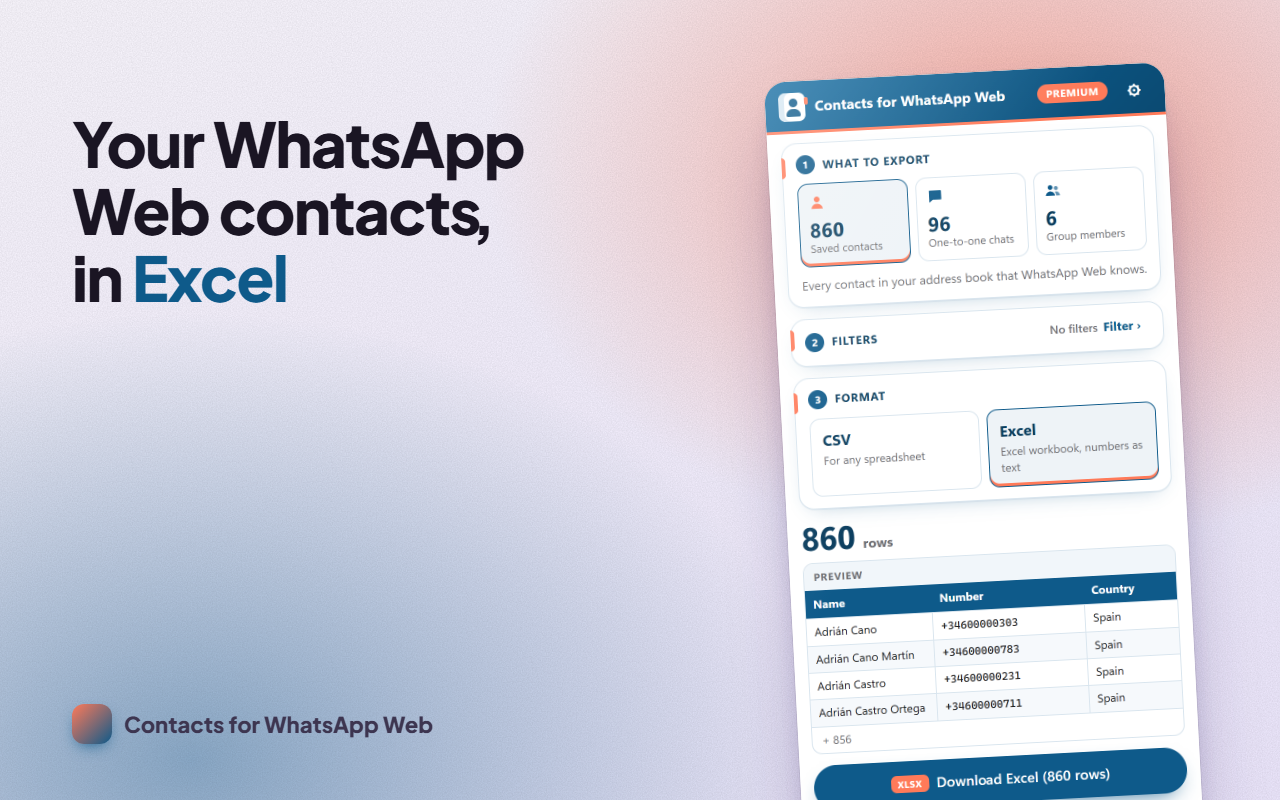
Need to export WhatsApp contacts to Excel or CSV, or extract the members of a group? Open the panel on WhatsApp Web, choose what to export and download it, with every number in international format and its country. And when you work in an office or share your screen, blur your chats with one click.
WHAT IT DOES
- Saved contacts: your whole address book, with saved name, public name and number.
- One-to-one chats: everyone you talk to, including numbers you haven't saved.
- Group members extractor: pick one or more groups from a searchable list; each row shows the group and who is an admin.
- Useful columns: country from the dialing code, saved yes/no, business account and a wa.me link per row.
- Filters: saved only, not saved only, or by country code (+1, +44, +91…).
- WhatsApp Web blur: hide the chat list, names, profile photos and messages; hover to see them. Toggle it with a switch or with Alt + Shift + B.
HOW TO USE IT
- Open web.whatsapp.com and log in as usual.
- Click the extension icon: a side panel opens.
- Choose saved contacts, chats or group members and check the preview.
- Click "Download" and open the file in Excel, Numbers or Google Sheets.
FREE AND PREMIUM
Free: CSV with up to 300 rows per export, one group at a time and full-screen privacy with one switch. If there are more rows, the panel tells you before you download. Premium removes the limit and adds Excel (.xlsx), several groups in one file, country and saved filters, privacy by area (including hiding the last-message preview) and your own shortcut. Get it with a license (yearly or lifetime) or by writing an honest review.
PRIVACY
Everything happens in your browser: the extension reads the names and numbers your session already stores on this computer, without requesting anything from any server, and it doesn't read your messages. There are no servers receiving your address book and we share no data with anyone. It only reads and exports: it never sends messages or joins groups.
RESPONSIBLE USE
Other people's numbers and names are personal data. Respect their privacy and data protection law (such as the GDPR): use them only for legitimate purposes and never for spam.
Independent project, not affiliated with WhatsApp LLC or Meta Platforms, Inc.
SUPPORT
Questions or something not working? Write to us from the support page and we'll reply within 48 hours.