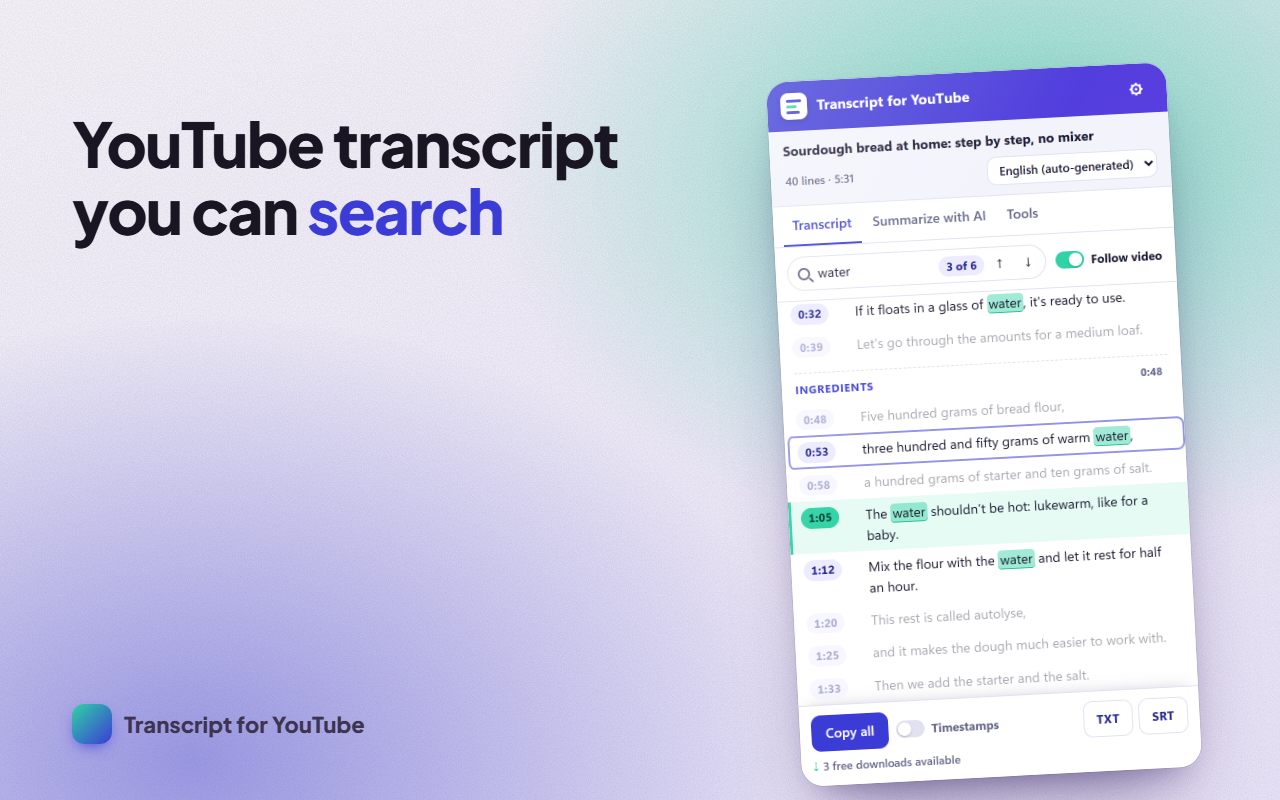
A YouTube transcript generator in a panel right next to the video: read the full transcript with timestamps, search for a word, jump to that moment, copy the text and download it as TXT or SRT. YouTube to text in one click. And if you don't have time to watch the whole thing, get an AI summary with ChatGPT, Claude or Gemini in your language.
WHAT IT DOES
- Full text with timestamps and chapters, in the caption language you choose.
- Search that ignores accents and capitals, with highlighted results and jumps between them.
- Click any timestamp and the video goes there; the line being spoken is highlighted and the list follows it.
- Copy everything, with or without timestamps.
- Download as TXT or SRT (captions ready for video editors and translators).
- Summarize with AI: we copy a well-built prompt with the content and open the assistant; you just paste. No new accounts, no extra cost.
- Export the video's comments to CSV.
- See how long a playlist takes at 1×, 1.25×, 1.5×, 1.75× and 2×.
HOW TO USE IT
- Open a video on youtube.com.
- Click the extension icon: the side panel opens with the text.
- Search, jump, copy, download or pick "Summarize with AI".
FREE AND PREMIUM
Free with no limits: view, search, jump and copy; plus 3 TXT/SRT downloads a day (they add up to 9) and the short AI summary. Premium adds unlimited downloads, bullet-point summaries, key points with timestamps and chapters, comment export and playlist length. Get it with a license (€14.99 a year or €29.99 forever, no subscription required) or by writing an honest review of the extension.
PRIVACY
Everything happens in your browser: the text is read from the video page itself and never goes through a server of ours. We don't store what you watch or search. To summarize, the prompt goes to your clipboard and you decide where to paste it. The extension doesn't download video or audio. You can delete all its data from Settings.
This extension is an independent project and is not affiliated with YouTube or Google LLC.
SUPPORT
Questions, or something not working? Write to us from the support page and we'll reply within 48 hours.